
Introduction
Few things cause instant panic like watching your phone slip from your hand and land in water. Whether it falls into a sink, bath, swimming pool, puddle or a drink, acting quickly can make a significant difference.
Water can damage sensitive electronic components, cause short circuits and lead to corrosion that may continue developing even after the phone appears to be working normally. The right response in the first few minutes can help reduce the risk of further damage.
If your phone has suffered liquid damage, professional assessment may be worthwhile. Hampstead Tech offers phone repair services in Hampstead, London, including water-damage repair. Its website lists water-damage repair as a same-day service and notes that liquid exposure can cause corrosion, short circuits and other electronic problems.
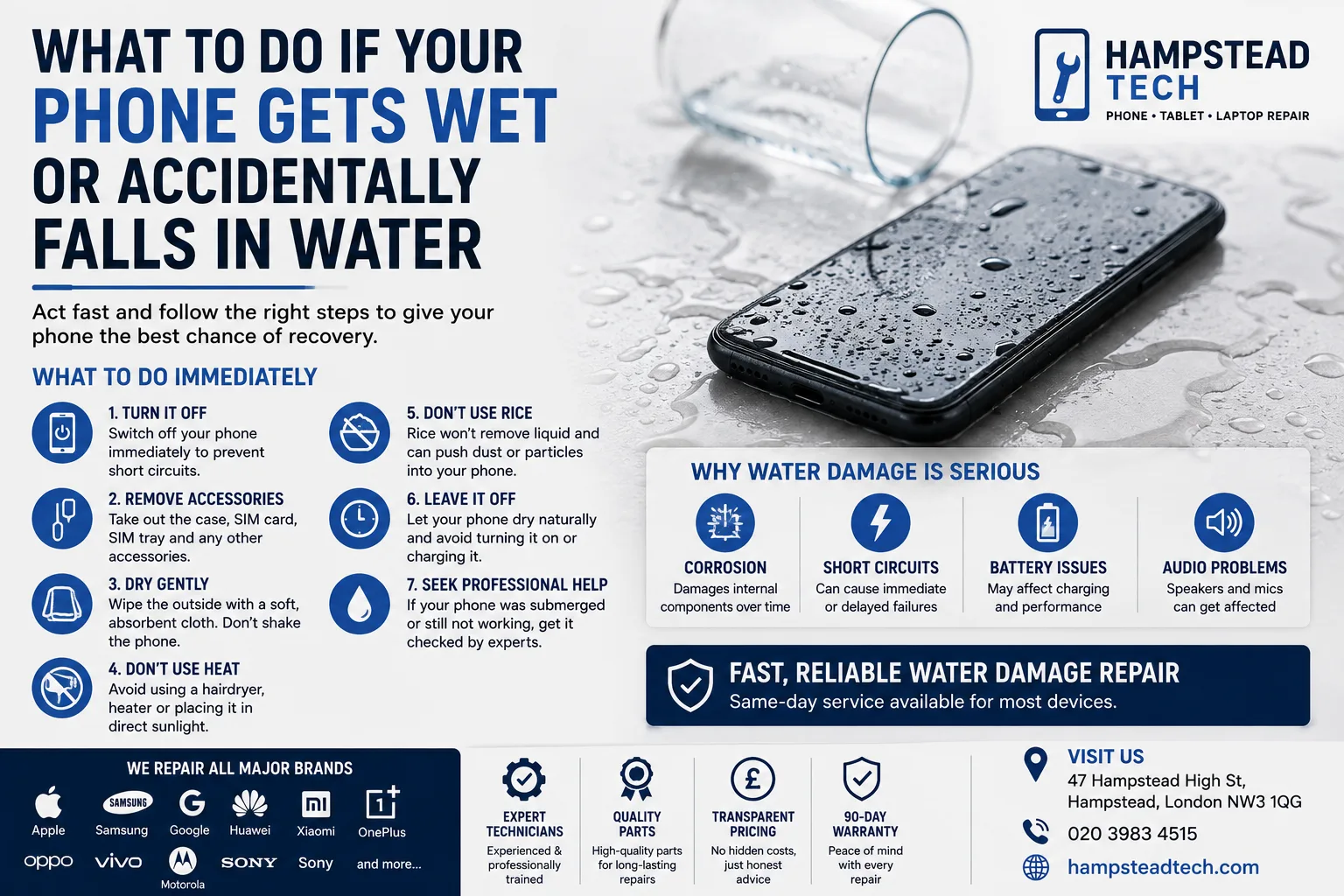
First Things First: Remove the Phone From the Water
The first step is simple: get your phone out of the water as quickly as possible.
Every second can matter because liquid can enter openings such as:
Charging ports
Speaker grilles
Microphone openings
SIM-card trays
Buttons and seams
Once you have removed the phone, don’t immediately start testing it to see whether it still works.
Turn the Phone Off
If the phone is still switched on, turn it off as soon as possible.
Electricity flowing through a wet device can increase the risk of short circuits. If the phone has already switched off, don’t try to turn it back on.
This is one of the most important steps you can take after accidental water exposure.
Remove Accessories
Take off anything that can be removed easily, including:
Phone case
SIM card
SIM tray
Memory card, where applicable
Charging cable
Other connected accessories
Removing the case can also allow moisture around the exterior of the phone to evaporate more easily.
Don’t force anything that is difficult to remove.
Gently Dry the Outside
Use a clean, soft and absorbent cloth to gently remove visible moisture from the exterior.
Pay particular attention to the charging port, speakers and other openings.
However, avoid aggressively shaking the phone. Shaking can potentially move liquid further into the device.
Don’t Use a Hairdryer
It can be tempting to reach for a hairdryer, heater or other source of heat.
It’s better not to.
Excessive heat can damage components, adhesives and the battery. Blowing air directly into ports may also push moisture deeper inside the phone.
Instead, keep the phone switched off and allow professionals to assess it if you suspect that liquid has entered the device.
Don’t Put Your Phone in Rice
The popular “put your phone in rice” trick isn’t a reliable repair method.
Rice cannot remove liquid from every part of a modern smartphone, and small particles can potentially enter ports and openings.
More importantly, simply drying the outside of a phone doesn’t address the possibility of internal corrosion or damage to electronic components.
If your phone has been submerged or has clearly suffered liquid exposure, professional inspection is a safer approach.
What Happens Inside a Wet Phone?
Water and electronics don’t mix well.
Liquid entering a smartphone can potentially cause:
Short Circuits
Moisture can create unwanted electrical connections between components, potentially causing immediate or delayed failures.
Corrosion
Even after the visible water has disappeared, moisture can leave behind conditions that encourage corrosion on internal components.
Charging Problems
A wet or damaged charging port may stop the phone from charging correctly.
Screen Problems
Liquid exposure can affect the display, causing flickering, lines, touch problems or a completely blank screen.
Speaker and Microphone Problems
Water around audio components can result in muffled sound, distorted audio or microphone issues.
This is why a phone that appears to work normally immediately after getting wet should still be monitored carefully.
What If Your Phone Still Works?
Don’t assume everything is fine simply because the screen turns on.
If your phone has been exposed to water, avoid using it unnecessarily and don’t connect it to a charger until you’ve considered whether moisture could still be present.
Watch for warning signs such as:
Random restarts
Screen flickering
Unusual battery drain
Charging problems
Overheating
Poor speaker performance
Camera condensation
Unresponsive buttons
Wi-Fi or Bluetooth problems
These symptoms can indicate that liquid has affected internal components.
What If the Phone Fell Into Salt Water?
Salt water can be particularly concerning because it can leave conductive and corrosive residues.
If your phone falls into the sea or another type of contaminated liquid, professional assessment is especially important.
Don’t assume that simply drying the phone will remove the potential damage caused by the liquid and residue.
What If the Phone Fell Into a Drink?
Phones don’t only get wet from sinks and baths.
Coffee, soft drinks, juice and other liquids can also enter a device.
Some drinks contain sugars, salts or other substances that may leave residue inside the phone. Even if the phone appears dry later, internal contamination may remain.
If a drink has been spilled on your phone, switch it off and seek professional advice rather than repeatedly testing it.
Can Water-Damaged Phones Be Repaired?
Sometimes, yes.
The outcome depends on factors such as:
How long the phone was exposed to liquid
What type of liquid entered the device
How much liquid reached the internal components
Whether the phone was switched on while wet
Whether corrosion has developed
The specific model and extent of damage
Professional technicians can inspect the device and determine what components have been affected.
Hampstead Tech lists Water Damage Repair among its repair services and states that the service is available on a same-day basis. The company also says it handles a wide range of phone brands, including Apple, Samsung, Google, Huawei, Xiaomi, OnePlus, Oppo, Vivo, Sony, Motorola and others.
Don’t Forget About Your Data
Your phone may contain years of photos, messages, contacts, documents and other important information.
If the device is still accessible and completely safe to use, keeping backups is always good practice. However, after significant liquid exposure, repeatedly powering on a wet phone simply to retrieve data can potentially make the situation worse.
Hampstead Tech recommends backing up data before bringing a device in for repair, while noting that data safety cannot be guaranteed during the repair process.
When Should You Take Your Phone to a Repair Technician?
Consider professional help if:
Your phone was fully submerged
It won’t switch on
It switches off unexpectedly
The screen behaves strangely
It won’t charge
The phone becomes unusually hot
The speakers or microphone stop working
You notice condensation inside the camera
The phone was exposed to salt water or another contaminated liquid
Getting the device assessed sooner rather than later can help identify potential problems before they become more serious.
Why Professional Diagnosis Matters
Liquid damage isn’t always visible from the outside.
A phone may look perfectly normal while moisture or corrosion is affecting internal components. Professional technicians can inspect the device and determine whether repair is possible.
Hampstead Tech says its repair team consists of experienced technicians and offers transparent pricing, quality parts and a 90-day warranty on repairs. Its listed repair process involves selecting a repair, sending or bringing in the device, having technicians carry out the repair, and then reclaiming the restored device.
Final Thoughts
Accidentally dropping your phone in water doesn’t necessarily mean it’s beyond repair. The most important thing is how you respond immediately afterwards.
Switch the phone off, remove accessories, gently dry the exterior and avoid charging, heating or repeatedly testing the device. If liquid has entered the phone, professional assessment can help determine the extent of the damage and whether the device can be repaired.
For phone water-damage repair in Hampstead, London, Hampstead Tech lists water-damage repair as a same-day service. The store is located at 47 Hampstead High St, NW3 1QG.
If your phone has taken an unexpected swim, don’t panic—switch it off and get professional advice as soon as possible.
Need this fixed?
We repair these at our workshop at 47 Hampstead High Street, London NW3 1QG. See our phone repair service, or book a repair online.