Introduction
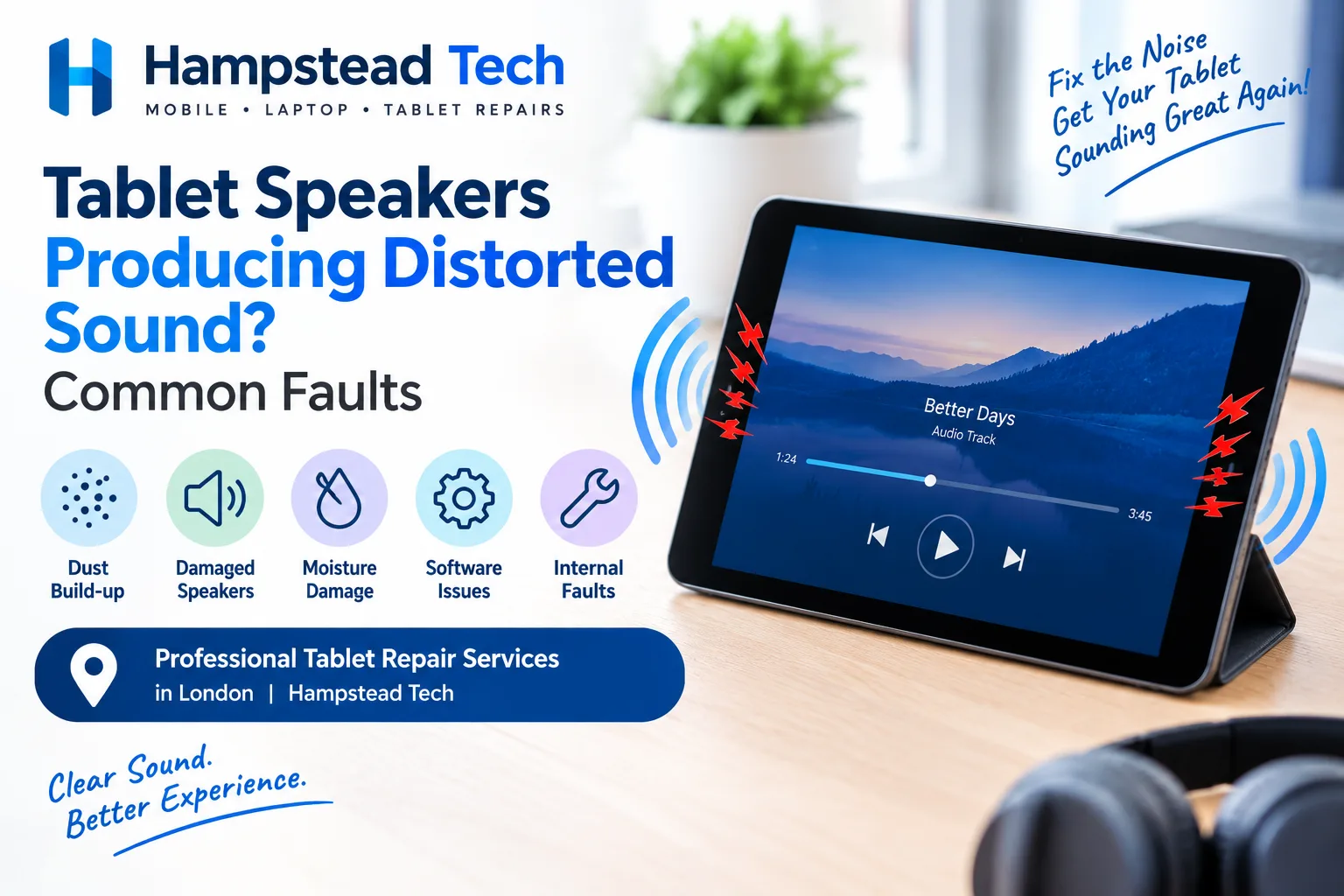
Tablet speakers are useful for watching videos, listening to music, attending online meetings, and making video calls. However, when the sound becomes distorted, crackling, muffled, or unusually quiet, using your device can quickly become frustrating.
Distorted tablet audio can happen for several reasons. Sometimes the problem is caused by incorrect sound settings or a temporary software issue. In other cases, dust, moisture, damaged speakers, or internal hardware faults may be responsible.
Understanding the possible causes can help you identify the problem and decide whether you can fix it yourself or need professional tablet repair.
1. Dust and Dirt Blocking the Speaker Grilles
One common reason for poor tablet sound quality is dust or dirt collecting around the speaker grilles. Tablets are regularly carried in bags, placed on different surfaces, and used in dusty environments.
Over time, small particles can block the speaker openings and affect how sound travels from the device.
Common signs include:
Sound that seems quieter than usual
Muffled audio during videos or calls
Uneven sound from different speakers
Crackling or buzzing at higher volume levels
What you can do:
Carefully inspect the speaker openings for visible dirt. Use a clean, soft, dry brush to remove loose particles from the surface. Avoid inserting sharp objects into the speaker grilles or using liquids and excessive compressed air, as these can damage internal components.
If the sound remains distorted, professional cleaning may be necessary.
2. Damaged or Worn-Out Tablet Speakers
Tablet speakers can become damaged through regular use, accidental drops, or exposure to excessive volume levels.
When a speaker component becomes worn or damaged, it may struggle to reproduce sound correctly. This can result in crackling, buzzing, rattling, or distorted audio.
You may notice that the sound becomes worse when playing music, watching videos, or increasing the volume.
Possible signs of speaker damage include:
Crackling sounds at different volume levels
Buzzing during music playback
Audio cutting in and out
One speaker producing weaker sound than another
If these symptoms continue across different applications, the speaker itself may need inspection or replacement. A professional technician can check the speaker assembly and determine whether a repair is required.
3. Water or Moisture Damage
Accidental exposure to water is another possible cause of distorted tablet audio. Even a small amount of moisture entering the speaker openings can affect sound quality.
Moisture may interfere with the speaker diaphragm or other internal components. In some cases, the audio problem appears immediately, while in others it develops over time.
Signs of possible moisture damage include:
Muffled or unclear sound
Crackling after exposure to liquid
Audio that works intermittently
Unusual buzzing from the speakers
If your tablet gets wet, switch it off if it is safe to do so and avoid charging it. Do not use a hairdryer, place it in direct heat, or attempt to open the device yourself.
Professional inspection is recommended because moisture can cause corrosion inside the tablet, even if the device appears to work normally.
4. Incorrect Sound Settings
Not every audio problem is caused by damaged hardware. Sometimes, incorrect sound settings can make tablet speakers produce unusual or unbalanced audio.
Equaliser settings, accessibility features, audio balance controls, and sound enhancement options can affect how sound is played.
For example, an audio balance setting that favours one speaker may make the overall sound seem uneven.
How to check your settings:
Open your tablet’s Settings menu.
Find the Sound or Audio section.
Check the volume and balance controls, if available.
Review any equaliser or sound enhancement settings.
Turn off unusual audio effects temporarily and test the speakers again.
Settings vary between Android tablets and iPads, so the exact steps may differ depending on your device.
5. Software Bugs and Operating System Issues
Software problems can sometimes interfere with audio output. An outdated operating system, temporary system glitch, or corrupted audio setting may cause distorted sound.
If your tablet speakers suddenly start crackling after an update or software installation, the issue may be related to the device’s software.
Try these troubleshooting steps:
Restart your tablet.
Check for available system updates.
Install pending updates from trusted sources.
Close applications running in the background.
Test the sound using different applications.
If the issue started immediately after installing a particular application, check whether that app has its own audio settings or updates available.
A factory reset should only be considered as a last resort after backing up important data. It may not solve a physical speaker fault.
6. Audio Distortion at High Volume
Playing audio at maximum volume for extended periods can make distortion more noticeable. Some tablets also struggle to produce clear sound when the volume is pushed beyond the speakers’ comfortable operating range.
If the audio sounds clear at a lower level but becomes crackly or harsh at maximum volume, the problem may be related to speaker limitations or damage.
What should you do?
Try reducing the volume to around 60–80% and test different types of audio. If the sound becomes clear, avoid regularly using maximum volume.
However, if distortion happens even at low volume, the speakers or internal audio components may require further inspection.
7. Problems With a Connected Bluetooth Device
Sometimes, users assume their tablet speakers are faulty when the actual issue comes from a connected Bluetooth speaker, headset, or wireless earphones.
Bluetooth connection problems can cause interruptions, crackling, delays, or poor audio quality.
To check whether Bluetooth is responsible:
Disconnect all Bluetooth audio devices.
Turn Bluetooth off temporarily.
Play music or a video through the tablet’s built-in speakers.
Check whether the sound is clear.
If the built-in speakers work normally, the problem may be related to the connected accessory or its wireless connection rather than the tablet itself.
8. Internal Audio Circuit or Hardware Faults
If basic troubleshooting does not improve the sound, an internal hardware issue may be responsible.
Tablet audio depends on several components working together, including the speakers, connectors, audio circuitry, and motherboard. Damage to any of these parts can affect sound output.
A tablet that has been dropped or exposed to moisture may develop internal faults that are not visible from the outside.
A technician may need to inspect the internal connections, test the speaker components, and check the audio circuitry to identify the source of the problem.
Depending on the fault, the solution could involve reconnecting a loose component, replacing a damaged speaker, or repairing another internal part.
When Should You Get Your Tablet Speakers Repaired?
You should consider professional repair if the sound remains distorted after checking the settings, restarting the device, and testing different applications.
It is particularly important to arrange an inspection if:
The speakers produce constant crackling or buzzing.
Sound is distorted even at low volume.
One speaker has stopped working.
The tablet has recently been dropped.
The device has been exposed to water or moisture.
Audio cuts out unexpectedly.
The speaker problem is becoming progressively worse.
Continuing to use a tablet with damaged audio components may make it harder to identify the original fault. A professional diagnosis can help prevent unnecessary repairs and identify the correct solution.
Why Choose Professional Tablet Repair in London?
Tablet speaker problems can involve both software and hardware components. While basic troubleshooting can resolve some issues, internal speaker damage usually requires technical inspection.
At Hampstead Tech, professional tablet repair services can help identify common audio problems and determine the appropriate repair option.
A technician can inspect the speaker assembly, check internal connections, and assess whether cleaning, component replacement, or further hardware repair is needed.
Getting the problem diagnosed correctly can help restore clear audio and make your tablet more enjoyable to use again.
Frequently Asked Questions
1. Why do my tablet speakers sound crackly?
Crackling can be caused by damaged speakers, dust inside the speaker openings, moisture exposure, software problems, or audio distortion at high volume. Testing different applications can help narrow down the cause.
2. Can dust cause tablet speakers to sound muffled?
Yes. Dust and dirt can block the speaker grilles and reduce sound output. Carefully cleaning the external openings with a soft, dry brush may help.
3. Is it possible to fix distorted tablet sound without replacing the speakers?
Yes. If the problem is caused by incorrect settings, software glitches, or blocked speaker openings, troubleshooting or cleaning may resolve it. Physical speaker damage may require replacement.
4. Why does my tablet sound distorted only at high volume?
The speakers may be struggling to reproduce audio at maximum volume, or an existing speaker fault may become more noticeable at higher levels. Try reducing the volume and testing again.
5. Should I replace my tablet if its speakers stop working?
Not necessarily. Many speaker problems can be repaired without replacing the entire tablet. A professional inspection can help determine whether speaker replacement or another repair is more practical.
Conclusion
Tablet speakers producing distorted sound can be frustrating, but the problem does not always mean your device needs major repairs. Dust, incorrect audio settings, software glitches, Bluetooth issues, and high-volume playback can all affect sound quality.
However, persistent crackling, buzzing, muffled audio, or complete speaker failure may indicate physical damage or an internal hardware fault.
Start with simple troubleshooting and check whether the problem affects all applications. If the sound does not improve, professional inspection can help identify the cause and restore your tablet’s audio performance.
If your tablet speakers are producing unclear or distorted sound, contact Hampstead Tech for professional tablet repair services in London.
Need this fixed?
We repair these at our workshop at 47 Hampstead High Street, London NW3 1QG. Read more about iPad screen replacement, or book a repair online.