Introduction
Smartwatches have become an important part of everyday life. They help users check notifications, monitor fitness activities, track health information, and stay connected with their smartphones. However, like other electronic devices, smartwatches can sometimes develop charging problems.
One common issue is a smartwatch charging cable that does not connect properly. You may notice that your watch does not start charging when connected, charges only at a certain angle, or repeatedly disconnects from the charger. This can be frustrating, especially when your smartwatch battery is running low.
The good news is that this problem does not always mean your smartwatch is damaged. Sometimes, a dirty charging surface, damaged cable, loose connection, or software issue may be responsible.
In this guide, we will explain the common reasons why a smartwatch charging cable may not connect properly and share some practical fixes you can try.
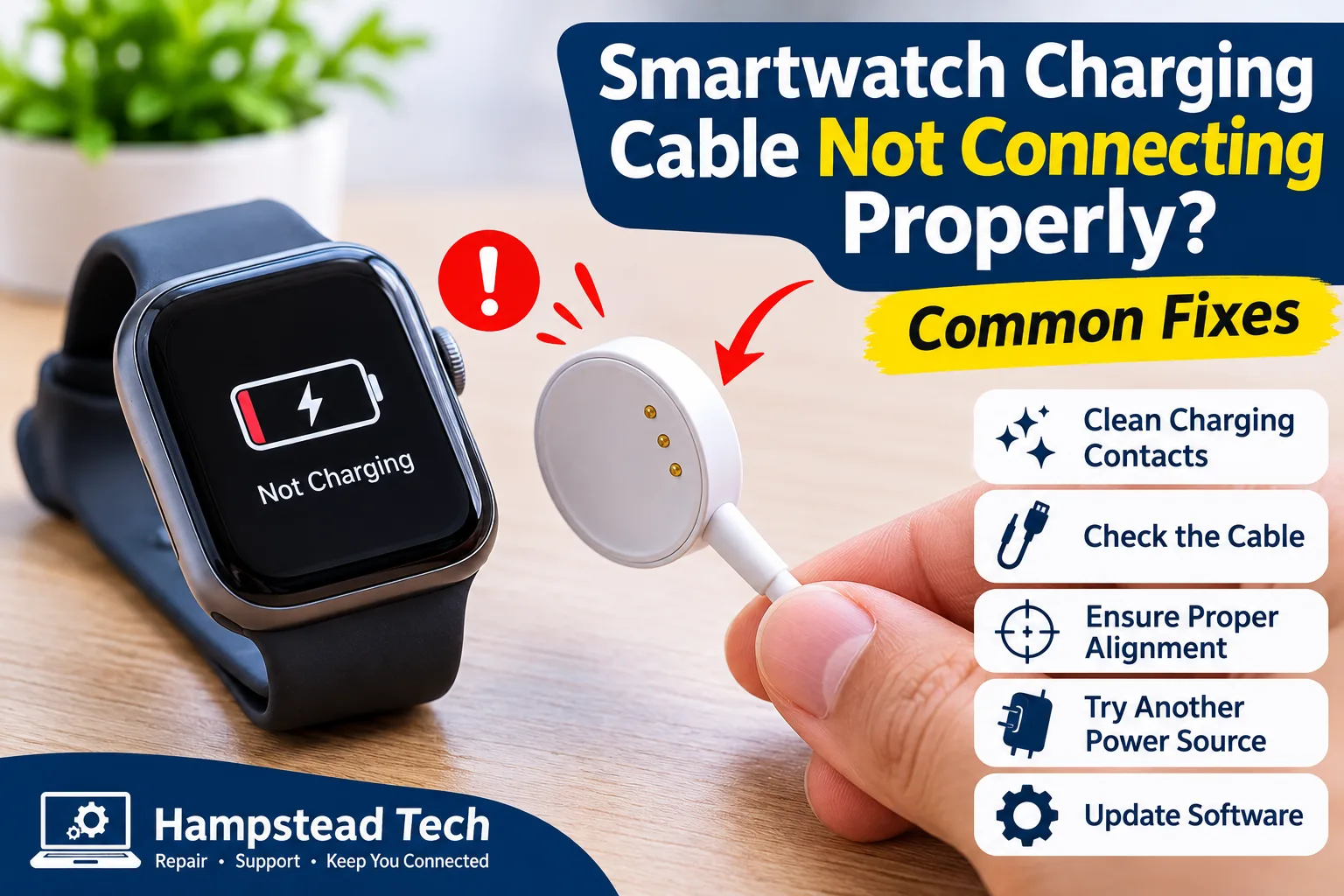
1. Dirty Charging Contacts
One of the most common reasons for smartwatch charging problems is dirt or dust on the charging contacts. Over time, sweat, skin oils, and small particles can collect around the charging area.
This buildup may prevent the charging cable from making proper contact with the watch.
How to fix it:
Disconnect the charging cable from the power source.
Check the charging contacts for visible dirt or dust.
Gently clean the area using a soft, dry, lint-free cloth.
Allow the charging surface to dry completely before reconnecting it.
Avoid using sharp objects or excessive moisture when cleaning your smartwatch. Gentle cleaning is usually enough to remove everyday dirt.
2. Damaged Smartwatch Charging Cable
Charging cables can become damaged through regular use. Bending, pulling, twisting, or storing a cable incorrectly may affect its internal wiring.
A damaged cable may connect intermittently, stop charging completely, or work only when positioned at a particular angle.
How to fix it:
Inspect the cable for visible cuts or damage.
Check the connector for bent or broken parts.
Try another compatible charging cable.
Avoid bending the cable near its connector.
Replace the cable if it is damaged.
Using a compatible replacement cable can help determine whether the original charging accessory is causing the problem.
3. Charging Connector Not Aligned Properly
Many smartwatches use magnetic charging cables or charging docks. These accessories need to sit correctly against the charging area.
If the charger is not properly aligned, the magnetic connection may feel weak or the watch may fail to recognise the charger.
How to fix it:
Place the smartwatch on a flat surface.
Position the charging cable according to the manufacturer’s instructions.
Check whether the magnetic charger attaches correctly.
Make sure the charging contacts are properly aligned.
Avoid moving the watch while it is charging.
If the charger repeatedly disconnects, the charging dock or magnetic connector may need inspection.
4. Faulty USB Adapter or Power Source
Sometimes, the smartwatch charging cable is working correctly, but the USB adapter or power source is causing the problem.
A faulty wall adapter, damaged USB port, or unstable power connection may prevent your smartwatch from charging properly.
How to fix it:
Try another compatible USB power adapter.
Check whether the wall socket is working.
Test another suitable USB port.
Avoid using damaged charging adapters.
Follow the manufacturer’s recommended charging specifications.
Testing another reliable power source can help identify whether the problem is related to the cable or adapter.
5. Loose or Damaged Charging Pins
Some smartwatches use small metal charging pins to connect with their charging cables. These pins need to remain clean, straight, and properly positioned to maintain a stable connection.
If the pins become bent, stuck, or damaged, the charging cable may not connect correctly.
How to fix it:
Carefully inspect the charging pins.
Check for visible damage or corrosion.
Make sure the pins are not covered with dirt.
Avoid pressing or bending the pins yourself.
Contact a professional technician if the pins appear damaged.
Damaged charging pins may require professional repair or replacement.
Wear OS by Google Help+1
6. Protective Case or Cover Blocking the Connection
Some smartwatch protective cases and covers can interfere with charging. A thick case may prevent the charging cable from sitting properly against the watch.
This is particularly common with magnetic charging accessories that require direct contact or precise alignment.
How to fix it:
Remove the smartwatch protective case.
Check whether the charger connects properly without the cover.
Clean the charging area.
Reposition the watch on the charging dock.
Consider using a compatible protective case that does not interfere with charging.
If the smartwatch starts charging normally after removing the case, the accessory may be responsible for the issue.
7. Software Glitches Affecting Charging
Although charging problems are often related to hardware, software glitches can sometimes affect how a smartwatch recognises its charging connection.
An outdated operating system or temporary software error may cause unusual charging behaviour.
How to fix it:
Restart your smartwatch.
Check for available software updates.
Update the smartwatch companion app.
Reconnect the charging cable after restarting.
Follow the manufacturer’s troubleshooting instructions.
A simple restart may resolve temporary software-related problems.
Xiaomi India+1
8. Moisture or Sweat Around the Charging Area
Smartwatches are commonly worn during exercise, outdoor activities, and everyday tasks. Sweat and moisture can collect around the charging contacts and interfere with the connection.
Charging a wet smartwatch may also cause corrosion or damage to its charging components.
How to fix it:
Remove the smartwatch from the charger.
Gently wipe the charging area with a clean, soft cloth.
Allow the watch to dry completely.
Check that the charging cable is also dry.
Reconnect the charger only when everything is dry.
Never connect a wet smartwatch to a charging cable. Regularly cleaning and drying the charging area can help prevent connection problems.
HUAWEI Support Australia+1
9. Overheating During Charging
If your smartwatch becomes unusually hot while connected to its charging cable, its charging system may temporarily stop working to protect the device.
High temperatures, direct sunlight, incompatible charging accessories, or internal hardware problems can contribute to overheating.
How to fix it:
Disconnect the charging cable.
Move the smartwatch to a cool, dry location.
Allow the device to return to a normal temperature.
Avoid charging under direct sunlight.
Use the recommended charging accessories.
If overheating continues, stop charging the device and arrange a professional inspection.
Xiaomi India+1
10. Faulty Smartwatch Charging Port or Internal Hardware
If you have checked the cable, adapter, charging contacts, and software but the problem continues, your smartwatch may have an internal hardware issue.
A damaged charging port, faulty charging circuit, loose internal connection, or other component failure may prevent the watch from recognising the charging cable.
Common warning signs include:
Charging works only when the cable is moved.
The watch repeatedly connects and disconnects.
The charging indicator appears and disappears.
The device does not respond to multiple compatible chargers.
Charging stops unexpectedly.
These problems usually require professional diagnosis. Avoid opening the smartwatch yourself because its small internal components can be easily damaged.
How to Prevent Smartwatch Charging Problems
Taking care of your smartwatch and charging accessories can help prevent connection issues.
Here are some useful maintenance tips:
Clean the charging contacts regularly.
Keep the smartwatch and charging cable dry.
Use the original or manufacturer-approved charger.
Avoid pulling the cable when disconnecting it.
Store charging accessories properly.
Avoid bending or twisting the cable.
Keep the charging area free from dust and dirt.
Remove protective covers if they interfere with charging.
Avoid charging your smartwatch in extremely hot environments.
Check the cable and adapter regularly for visible damage.
Following these simple habits can help maintain a reliable charging connection and extend the life of your smartwatch accessories.
When Should You Get Professional Smartwatch Repair?
Basic troubleshooting can solve many smartwatch charging problems. However, some issues require professional attention.
Consider visiting a smartwatch repair specialist if:
Your charging cable does not connect even after cleaning.
Charging pins are bent or broken.
The smartwatch charging port is damaged.
Your device repeatedly disconnects from the charger.
The smartwatch becomes unusually hot.
Multiple compatible charging cables fail to work.
A professional technician can inspect the charging components, test the power connection, and identify whether the problem is caused by the cable, charging port, or internal hardware.
If a component is damaged, professional repair or replacement may be necessary to restore normal charging functionality.
Conclusion
A smartwatch charging cable that does not connect properly can be caused by several issues, including dirty charging contacts, damaged cables, incorrect alignment, faulty adapters, loose charging pins, or software glitches.
Before replacing your smartwatch or purchasing a new charger, try the basic troubleshooting steps explained in this guide. Cleaning the charging area, checking the cable, testing another power source, and restarting your device may help resolve the problem.
However, if your smartwatch continues to experience charging difficulties, professional inspection is recommended.
For reliable smartwatch and electronic device repair services, visit Hampstead Tech. Getting the problem diagnosed early can help prevent further damage and keep your device working properly.
Need this fixed?
We repair these at our workshop at 47 Hampstead High Street, London NW3 1QG. Read more about smart watch repair, or book a repair online.