
Introduction
If you’ve ever checked your phone’s battery health and wondered, “Is 85% battery health good?” or “Do I need to replace my battery at 80%?”, you’re not alone.
Battery health percentages can be confusing. A phone showing 100% battery health doesn’t necessarily mean the battery will last all day, while a device showing 85% isn’t automatically in need of a replacement.
So, what does battery health actually mean, and when should you consider getting your battery replaced?
Let’s break it down.
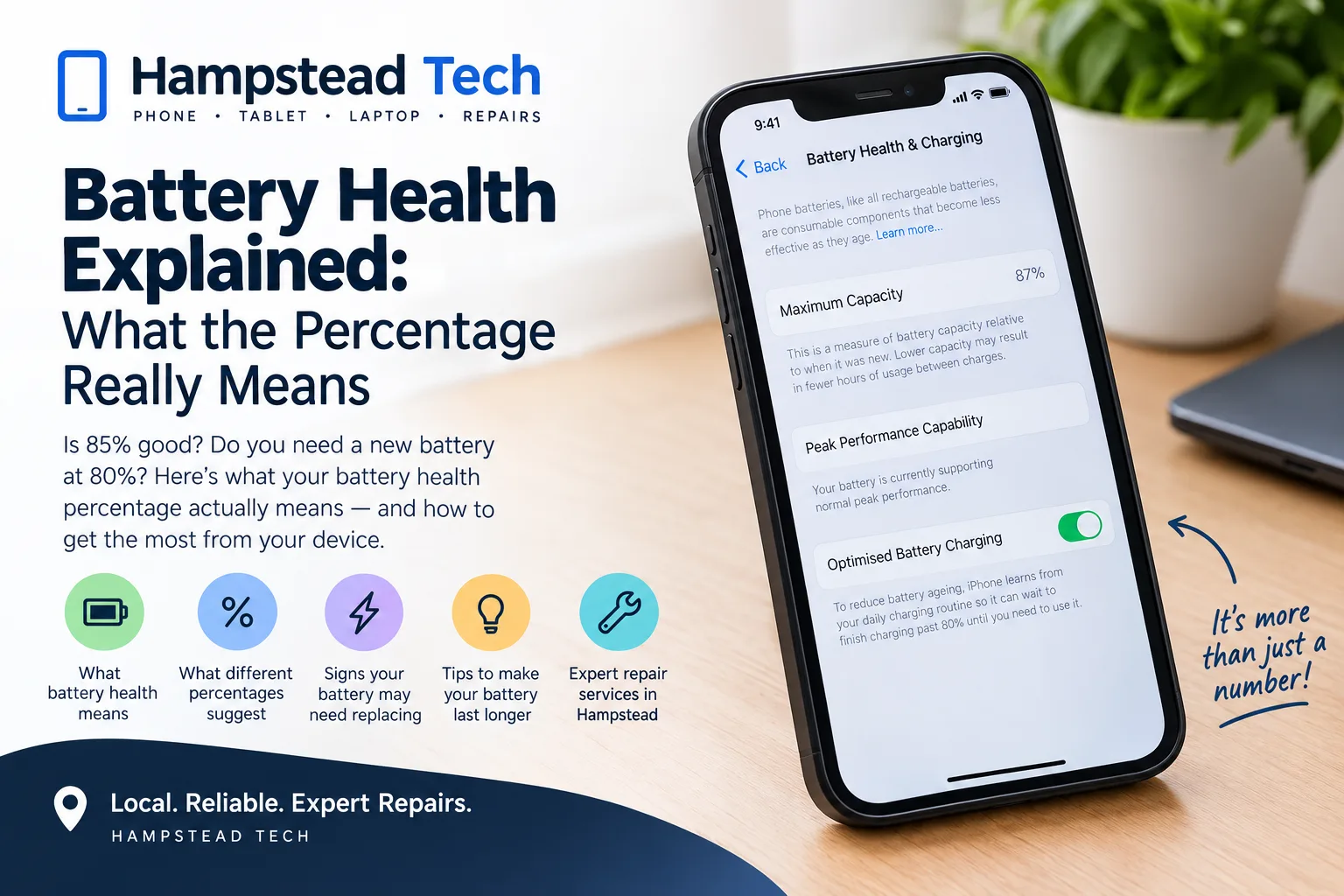
What Does Battery Health Mean?
Battery health is an estimate of how much capacity your battery can currently hold compared with when it was new.
For example, if your phone originally had a battery capacity of 4,000mAh and its maximum capacity has fallen to around 80%, it can hold roughly 80% of the capacity it could when new.
This doesn’t mean your phone will stop working at 80%. It simply means the battery has naturally lost some of its original capacity through chemical ageing.
Rechargeable lithium-ion batteries gradually wear down as they’re used and charged. Apple explains that all rechargeable batteries have a limited lifespan and that their capacity and ability to deliver performance decline over time.
Is 100% Battery Health the Goal?
A new phone will generally start with a battery health reading close to 100%, but you shouldn’t expect that number to stay there forever.
Battery health can gradually decrease because of:
The number of charge cycles
How frequently you charge your device
High temperatures
Heavy usage
How the device is stored and used
The age of the battery
It’s also important to remember that battery health doesn’t necessarily decrease at a perfectly consistent rate. You might see the percentage remain unchanged for a while and then drop by a few points.
That doesn’t automatically mean something is wrong.
What Does 90% Battery Health Mean?
A battery health reading of 90% generally means the battery’s estimated maximum capacity is around 90% of what it was when new.
For many people, 90% is still perfectly usable.
You may notice slightly shorter battery life compared with when the phone was new, but there’s usually no reason to replace a battery simply because it has reached 90%.
Instead, pay attention to how the phone actually performs.
If your phone comfortably lasts through your normal day, charges normally and doesn’t unexpectedly shut down, you may be able to continue using it without a battery replacement.
What About 80% Battery Health?
The 80% figure is often discussed as a battery replacement threshold, but it shouldn’t be treated as a universal rule for every phone.
For example, Apple states that batteries in iPhone 14 models and earlier are designed to retain 80% of their original capacity at 500 complete charge cycles under ideal conditions. For iPhone 15 models and later, Apple says the design target is 80% at 1,000 complete charge cycles under ideal conditions. Actual results vary depending on how a device is used and charged.
So if your phone reaches 80%, it doesn’t suddenly become unusable.
However, at this point, reduced battery life may become much more noticeable, particularly if you use your phone heavily.
Does Low Battery Health Make Your Phone Slower?
It can.
As a battery ages, its ability to deliver peak performance can decline. Modern phones may use performance-management features when necessary to help prevent unexpected shutdowns or maintain normal operation.
This means that a battery problem isn’t always just about having to charge your phone more frequently.
You might also experience:
Unexpected shutdowns
Reduced performance
Battery percentage dropping quickly
Your phone becoming unusually warm
Difficulty getting through the day on one charge
The device taking longer to charge
Battery percentage behaving unpredictably
If you’re experiencing several of these symptoms, it’s worth having the battery and device checked rather than relying solely on the percentage shown on screen.
How Do You Check Your iPhone Battery Health?
On supported iPhones, you can check your battery information directly from Settings.
For iPhone 11, 12, 13 and 14 models, Apple provides the information under:
Settings → Battery → Battery Health & Charging
On iPhone 15 models and later running iOS 17.4 or later, you can access battery information under:
Settings → Battery → Battery Health
Depending on the model and software version, you may also see information such as maximum capacity, cycle count and whether battery replacement is recommended.
Battery Health vs Battery Percentage: What’s the Difference?
These two numbers are easy to confuse.
Battery percentage tells you how much charge is currently available.
For example:
Battery percentage: 25%
This means your battery is currently around 25% charged.
Battery health: 85%
This is an estimate of the battery’s current maximum capacity compared with when it was new.
So you could have:
100% battery charge + 85% battery health
Your phone is fully charged, but its battery doesn’t hold as much energy as it did when it was new.
What Causes Battery Health to Decline?
Battery ageing is normal, but certain conditions can accelerate it.
1. Heat
High temperatures can be particularly hard on lithium-ion batteries.
Leaving your phone in direct sunlight, inside a hot car or under heavy load while it’s already hot can contribute to battery ageing.
2. Frequent Heavy Use
Gaming, video recording, navigation, streaming and other demanding tasks can consume significant amounts of energy and generate heat.
3. Charge Cycles
A battery experiences wear as it goes through charge cycles. A cycle isn’t necessarily one charge from 0% to 100%. A complete cycle represents using an amount of battery equivalent to 100% of its capacity, even if that happens across multiple charging sessions.
4. Age
Even with careful use, batteries naturally age over time.
That means battery degradation isn’t necessarily a sign that you’ve done something wrong.
How Can You Help Your Battery Last Longer?
You can’t stop battery ageing completely, but you can take sensible steps to reduce unnecessary stress on your device.
Try to:
Keep your phone away from excessive heat
Use reliable, appropriate charging equipment
Avoid exposing your phone to extreme temperatures
Keep your phone’s software updated
Use battery-saving features when appropriate
Avoid unnecessary high-intensity usage when the device is already very hot
Many modern devices also include charging-management features designed to help reduce battery ageing.
When Should You Replace Your Phone Battery?
Don’t look at the percentage alone.
A battery replacement may be worth considering if your phone:
Needs charging much more frequently than before
Doesn’t last through your normal day
Shuts down unexpectedly
Shows signs of battery-related performance problems
Has a significantly degraded battery
Has a battery that is swollen or physically damaged
If you’re unsure, a professional inspection can help determine whether the battery is actually the cause of the problem.
Need a Battery Replacement?
At Hampstead Tech, we provide battery replacement and a wide range of device repair services, including phone, tablet, laptop and smartwatch repairs.
Our technicians can help diagnose battery-related problems and determine whether a replacement is the right solution for your device. Hampstead Tech also lists battery replacement among its repair services, with service available alongside other repairs such as charging-port and screen repairs.
If your phone battery isn’t lasting like it used to, don’t rush to buy a new phone. A battery replacement could potentially give your existing device a new lease of life.
Visit Hampstead Tech to discuss your battery problem and find out what repair options are available for your device.
Hampstead Tech – Book a Repair
Final Thoughts
Battery health is best understood as a useful indicator, not a countdown clock.
A battery at 95%, 90% or even 85% can still provide perfectly good performance depending on your usage. Likewise, a higher battery-health percentage doesn’t guarantee excellent battery life if another issue is affecting the device.
Instead of worrying about a single number, look at the bigger picture: How long does your phone last? Is it charging normally? Is it shutting down unexpectedly? Is performance being affected?
If the answer to those questions suggests your battery is struggling, it may be time to have it checked.
And if you’re based in Hampstead and need help with a battery or device problem, Hampstead Tech can help you explore the repair options available.
Need this fixed?
We repair these at our workshop at 47 Hampstead High Street, London NW3 1QG. See our full list of repair services, or book a repair online.