
Introduction
Planning a holiday, business trip, or international adventure? Staying connected while travelling is essential, whether you need Google Maps to find your hotel, WhatsApp to contact family, or email to keep up with work. However, using your mobile phone abroad can sometimes lead to unexpectedly high roaming charges.
The good news is that there are several ways to reduce these costs without sacrificing convenience. From checking your mobile plan before departure to using Wi-Fi and exploring eSIM options, a little preparation can help you stay connected while keeping your travel budget under control.
In this guide, we explain the best ways to avoid expensive mobile roaming charges and enjoy a more affordable mobile experience wherever you go.
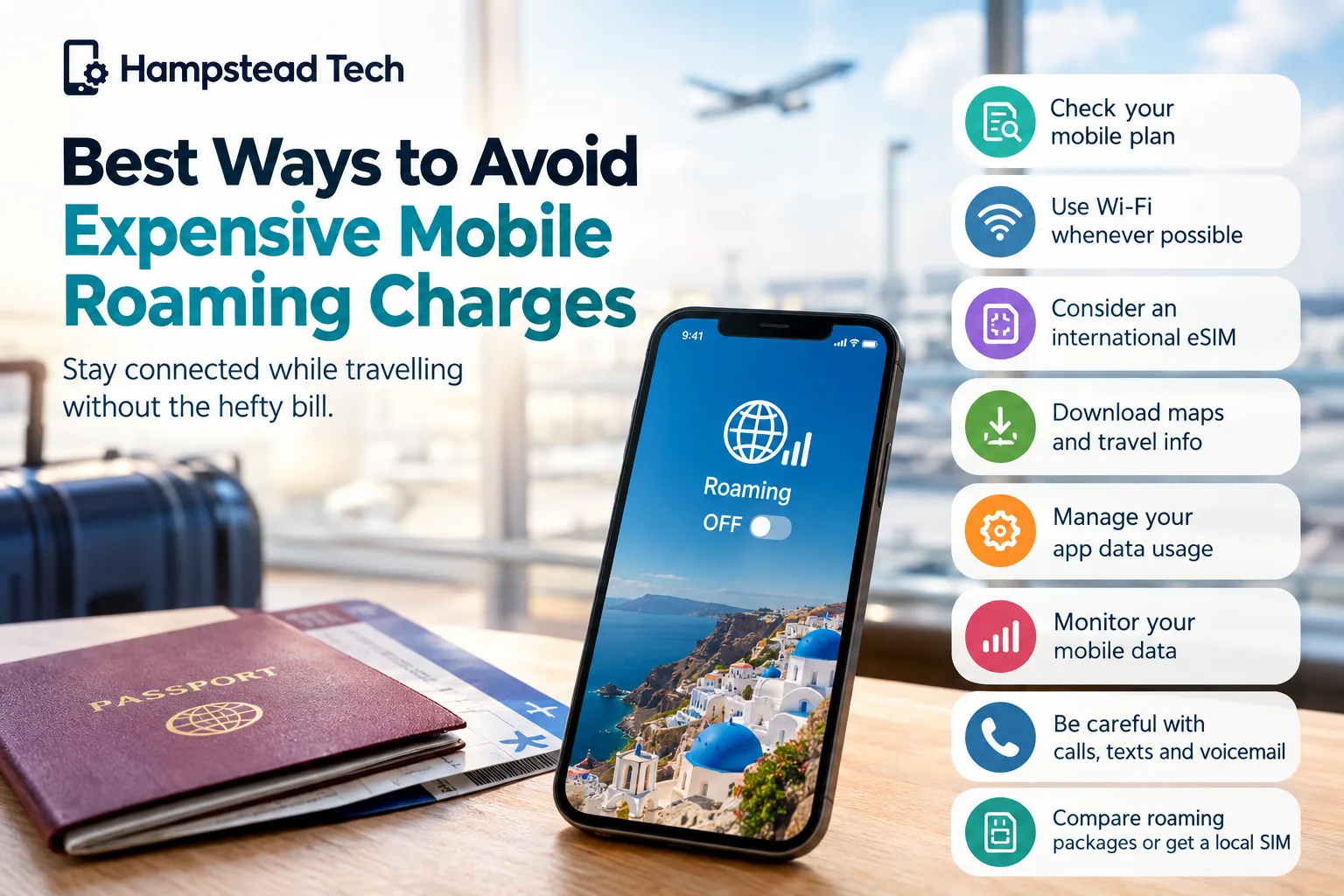
What Are Mobile Roaming Charges?
Mobile roaming charges are fees you may pay when using your mobile phone outside your home network’s coverage area, typically when travelling internationally. Your phone connects to a local network in your destination country, allowing you to make calls, send text messages, and access mobile data.
Depending on your mobile provider and destination, roaming charges may apply to:
Mobile internet and background data usage.
Incoming and outgoing phone calls.
Text messages sent abroad.
Voicemail services and certain premium services.
Data usage exceeding the limits of your roaming allowance.
Roaming costs vary significantly between mobile networks and destinations. Some plans include international roaming at no extra cost, while others charge additional fees or offer daily roaming passes.
Understanding your plan before travelling is one of the easiest ways to avoid an unpleasant surprise on your next bill.
1. Check Your Mobile Plan Before Travelling
One of the most effective ways to avoid expensive roaming charges is to check your existing mobile plan before leaving home.
Do not assume that your usual allowances will work abroad. Even if your UK mobile plan includes unlimited calls, texts, or data at home, those benefits may not apply internationally.
Before your trip, check:
Which countries are included in your roaming allowance.
Whether your destination is covered by your existing plan.
How much data you can use abroad.
Whether incoming calls or text messages incur charges.
Whether your provider offers a daily or weekly roaming package.
If you are travelling from the UK to Europe, remember that roaming is not automatically free with every provider. Policies and charges vary by network and tariff.
Tip: Contact your mobile provider or check its official website before travelling. Confirming the applicable rates in advance can help you avoid unexpected costs.
2. Turn Off Data Roaming When You Do Not Need It
Your smartphone can use mobile data even when you are not actively browsing the internet. Apps may refresh in the background, emails may synchronise automatically, and cloud services may upload photos without you noticing.
These activities can quickly consume your roaming allowance.
To reduce the risk, turn off data roaming before arriving at your destination if you do not intend to use mobile data.
On most iPhones, you can find this setting under:
Settings → Mobile Service (or Cellular) → Mobile Data Options → Data Roaming
On most Android phones, look under:
Settings → Connections or Network & Internet → Mobile Networks → Data Roaming
The exact steps depend on your device and software version.
If you need internet access while abroad, you can enable roaming selectively after confirming your provider’s charges and allowances.
3. Use Wi-Fi Whenever Possible
Connecting to Wi-Fi is one of the simplest ways to reduce mobile data usage while travelling.
Many hotels, cafés, restaurants, airports, and shopping centres provide Wi-Fi access. Using a suitable Wi-Fi connection lets you browse the internet, check emails, access online maps, and communicate through messaging apps without using your mobile data allowance.
Here are a few ways to make the most of Wi-Fi:
Connect to your hotel Wi-Fi before downloading travel information.
Use Wi-Fi to make internet-based calls through compatible apps.
Download documents and entertainment before leaving your accommodation.
Check your data usage regularly if you occasionally switch back to mobile data.
Be cautious when using public Wi-Fi networks. Avoid sensitive transactions on networks you do not trust, verify the correct network name, and keep your device’s software updated.
Also, remember that Wi-Fi does not automatically make traditional mobile calls free. Calls made through your normal dialler or Wi-Fi Calling may still be subject to your provider’s terms.
4. Consider Using an International eSIM
An international eSIM can be a convenient alternative to paying your usual network’s roaming rates.
An eSIM is a digital SIM that allows compatible smartphones to activate a mobile plan without inserting a physical SIM card. Depending on the provider, you can purchase a travel data package for a specific country or a wider region.
For example, if you are travelling from the UK to another country, you could purchase an eSIM that provides a set amount of mobile data for your stay.
Potential benefits include:
More predictable costs: You generally know the price and data allowance before purchasing.
Convenient activation: Many travel eSIMs can be installed digitally.
Flexible packages: You can choose plans based on your destination and trip duration.
Access to mobile internet: You can use maps, messaging apps, and online services without relying entirely on public Wi-Fi.
However, there are a few things to check before purchasing an eSIM.
First, confirm that your phone supports eSIM technology and is not locked to a network that prevents you from using another provider. Check that the package covers your destination and provides enough data for your needs.
Also, remember that many travel eSIMs provide data only. They may not include a local phone number, traditional calls, or SMS messages.
Helpful tip: If you want to keep your usual number active for calls or messages, check whether your phone supports dual SIM functionality. You may be able to use your regular SIM alongside a travel eSIM, but make sure data roaming is disabled on your regular line to avoid unwanted charges.
5. Download Maps and Travel Information Before You Leave
Navigation apps are extremely useful when exploring an unfamiliar destination. However, repeatedly loading maps, searching for places, and using live navigation can consume mobile data.
A practical solution is to download offline maps before your journey.
Many mapping applications allow you to save maps of selected areas for offline use. Once downloaded, you can access important navigation information without continuously connecting to mobile data, although some features may be limited.
You can also prepare other useful travel information in advance:
Download boarding passes and booking confirmations.
Save hotel addresses and transport details.
Download translation packs if your translation app supports offline use.
Save important contact numbers.
Download music, films, podcasts, and other entertainment.
Preparing these resources before departure reduces your reliance on mobile data and helps you stay organised while travelling.
6. Disable Automatic App Updates and Background Data
Your phone may use data even when it is sitting in your pocket. Automatic app updates, cloud backups, social media feeds, and photo synchronisation can all contribute to roaming consumption.
To reduce unnecessary usage, review your phone’s data settings before travelling.
Consider taking these steps:
Set app updates to occur over Wi-Fi only.
Pause automatic photo and video backups over mobile data.
Restrict background data for apps that do not need it.
Disable automatic downloads in messaging and social media apps.
Turn off automatic video playback where possible.
These adjustments can make a noticeable difference, particularly if your roaming plan has a small data allowance.
You do not need to disable every feature. Focus on apps that use significant amounts of data without providing immediate value during your trip.
7. Compare Roaming Packages Before Your Trip
If you expect to use mobile data regularly, a roaming package from your existing network may be more convenient than relying on Wi-Fi alone.
Many UK mobile providers offer international roaming add-ons, daily passes, or destination-specific data packages.
Before purchasing one, compare the following:
Total cost for your entire trip.
Daily or monthly data allowance.
Countries and territories covered.
Whether calls and text messages are included.
Charges that apply after your allowance is used.
Whether the package activates automatically when you arrive.
For a short trip, a daily roaming pass might be convenient. For a longer stay or heavy data usage, a travel eSIM or local SIM may offer better value.
The cheapest option depends on your destination, the length of your stay, your data requirements, and your phone’s compatibility.
Always read the terms carefully rather than choosing a package based on its advertised price alone.
8. Avoid Streaming Videos and Making Data-Heavy Downloads
Streaming high-resolution videos, downloading large files, and participating in video calls can consume substantial amounts of mobile data.
If your roaming allowance is limited, these activities can exhaust it much faster than ordinary messaging or browsing.
To keep usage under control:
Stream videos at a lower resolution when necessary.
Download entertainment before travelling.
Use audio-only calls when video is unnecessary.
Avoid downloading large files over mobile data.
Wait until you have a reliable Wi-Fi connection to upload photos and videos.
If you need to work while travelling, check whether your cloud storage and collaboration apps are synchronising large files automatically.
A few small adjustments can help your data allowance last throughout your trip.
9. Monitor Your Mobile Data Usage
Keeping track of your data consumption can help you spot problems before they become expensive.
Most smartphones include built-in tools that show how much mobile data individual apps have used. Some mobile providers also offer apps or online accounts that display your roaming usage and remaining allowance.
Before travelling, consider resetting your phone’s mobile data statistics so you can monitor usage during your trip.
You should also enable any spending limits, data alerts, or roaming notifications offered by your provider.
However, be aware that your phone’s usage counter and your network’s billing records may not update at exactly the same time. Provider alerts and usage information are useful, but they may not always be instantaneous.
Regularly checking your usage helps you decide when to switch to Wi-Fi, reduce streaming, or purchase an additional data package.
10. Be Careful With Calls, Texts and Voicemail
Mobile roaming costs are not limited to internet usage. Depending on your provider and destination, calls, SMS messages, and voicemail services may also incur additional fees.
Before travelling, check the charges for calling local numbers, calling the UK, receiving calls, and using voicemail.
If you mainly need to communicate with friends, family, or colleagues, internet-based messaging and calling services can be a useful alternative when connected to Wi-Fi or an affordable data plan.
Keep in mind that sending a standard SMS is different from sending a message through an internet-based app. The charges and allowances may differ.
If you want to avoid traditional roaming charges altogether, consider using airplane mode with Wi-Fi enabled. This prevents your phone from connecting to a mobile network while allowing Wi-Fi connectivity, provided you leave the cellular connection disabled.
Check your device and provider settings carefully, especially if you need to remain reachable on your usual phone number.
11. Consider a Local SIM for Longer Stays
If you are travelling abroad for several weeks or months, a local SIM card may be worth considering.
Local mobile providers often offer prepaid packages designed for residents and visitors. Depending on the country, these may include domestic calls, text messages, and mobile data at rates that are more suitable for an extended stay.
Before purchasing a local SIM, check:
Whether your phone is unlocked.
Whether your device supports the local network bands.
What identification or registration is required.
Whether the package includes enough data.
Whether you need to retain access to your usual phone number.
A local SIM is not always the best choice for a short trip, particularly if you need to keep your existing number active. Compare the total cost and convenience of local SIMs, travel eSIMs, and roaming packages before deciding.
12. Know What to Do If You Receive a Roaming Charge Warning
If your provider sends a notification that you are approaching your roaming limit, take action immediately.
Start by checking your remaining allowance and current charges through your network’s official app or website. Then disable mobile data or data roaming if you do not need it.
Switch to Wi-Fi where possible, pause background downloads, and review whether your current package can be upgraded or supplemented with an affordable add-on.
If you believe the charge is incorrect, contact your provider and request a breakdown of the usage. Keep any relevant notifications and records of your roaming package.
Taking action early can prevent further usage from adding to your bill.
Frequently Asked Questions About Mobile Roaming
Is roaming free in Europe for UK mobile users?
Not necessarily. Some UK mobile plans include roaming in certain European destinations, while others impose daily charges, data limits, or additional fees. Always confirm the current terms of your specific plan before travelling.
Can I avoid roaming charges by turning off mobile data?
Turning off mobile data or data roaming can prevent roaming data usage, but it does not necessarily prevent charges for traditional calls, SMS messages, or other services. For greater protection against mobile network charges, use airplane mode and manually enable Wi-Fi when needed.
Is an eSIM cheaper than roaming?
An eSIM can be cheaper than your existing network’s roaming rates, particularly for data-heavy travel. However, prices and allowances vary. Compare the total cost, coverage, data limits, and compatibility requirements before buying.
Will I be charged for receiving text messages abroad?
Receiving standard SMS messages is often free, but the rules depend on your provider and destination. Sending messages, receiving calls, and using voicemail may be charged differently. Check your plan before travelling.
Does airplane mode stop all roaming charges?
Airplane mode disables your phone’s cellular connections, preventing normal mobile network roaming while it remains enabled. You can usually switch Wi-Fi back on manually. Be careful when changing these settings, and check whether Wi-Fi Calling or other services have separate charges under your mobile plan.
How much mobile data do I need when travelling?
Your needs depend on how you use your phone. Messaging, emails, and occasional browsing generally use less data than video streaming, video calls, and large downloads. If you plan to navigate frequently, download maps in advance and choose a data allowance that suits your expected usage.
Final Thoughts
Avoiding expensive mobile roaming charges does not have to be complicated. By checking your mobile plan, disabling unnecessary data usage, using Wi-Fi, downloading travel information in advance, and comparing roaming packages, you can stay connected without putting unnecessary pressure on your travel budget.
For frequent travellers, an international eSIM or local SIM may offer another practical way to manage mobile costs, provided your device is compatible and the package suits your destination.
At Hampstead Tech, we understand that staying connected matters in everyday life and while travelling. If you need help understanding SIM options, eSIM compatibility, or your smartphone’s connectivity features, exploring your available options before departure can help you travel with greater confidence.
Planning your next trip? Prepare your phone before you leave, compare your connectivity options, and enjoy your travels without unnecessary mobile roaming expenses.
Need this fixed?
We repair these at our workshop at 47 Hampstead High Street, London NW3 1QG. Read more about all our repair services, or book a repair online.