
Introduction
Apple devices are built to deliver reliable performance, but even the best-maintained iPhone, iPad or MacBook can develop problems over time. Everyday use, accidental drops, battery wear, moisture, dust and outdated software can all affect the performance and lifespan of your device.
The good news is that a few simple habits can help you keep your Apple devices working well for longer — and potentially avoid expensive repairs or premature replacement.
Whether you use an iPhone for work, an iPad for entertainment or a MacBook every day, here are some practical ways to protect your Apple devices.
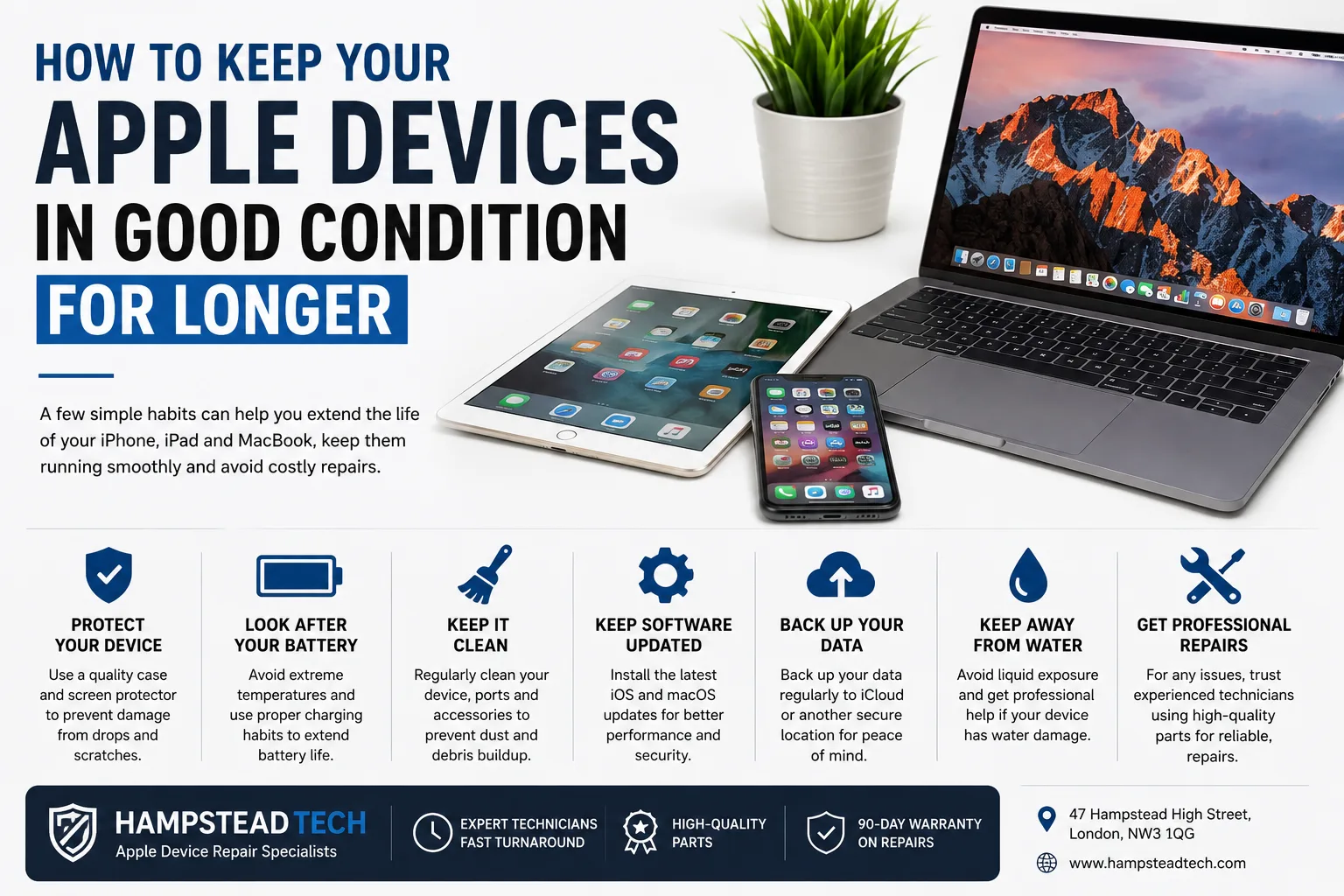
1. Protect Your Device From Physical Damage
Accidental drops are one of the most common causes of damage to smartphones, tablets and laptops.
A good-quality protective case can help absorb some of the impact if your iPhone or iPad is dropped. A screen protector can also provide an additional layer of protection against scratches and minor impacts.
For MacBooks and other laptops, avoid placing heavy objects on top of the device and use a suitable protective bag when travelling.
Even small cracks or dents should not always be ignored. Damage can sometimes become worse over time, particularly if a cracked screen allows moisture or debris to reach internal components.
2. Look After Your Battery
Battery performance naturally decreases as a device gets older. However, good charging habits can help you get more useful life from your battery.
Try to:
Avoid exposing your device to extreme temperatures.
Use suitable, good-quality charging accessories.
Avoid using damaged charging cables.
Keep your device’s software updated.
Have a worn or failing battery professionally assessed.
If your iPhone, iPad or MacBook is losing charge unusually quickly, shutting down unexpectedly or struggling to hold a charge, it may be time to consider a battery replacement.
Hampstead Tech provides battery replacement services and lists battery replacement among its common device repairs.
3. Keep Your Apple Device Clean
Dust, dirt and debris can build up around ports, speakers, keyboards and other openings.
For example, debris inside a charging port can sometimes interfere with the connection between the charging cable and your device.
Clean your device carefully using appropriate methods and avoid forcing objects into ports. Your MacBook keyboard and screen should also be cleaned gently using suitable materials.
If your charging port continues to cause problems after cleaning, professional inspection may be the better option. Hampstead Tech offers charging port repair as part of its repair services.
4. Keep Your Software Updated
Apple regularly releases software updates that can introduce new features, improve performance and address security issues.
Keeping your iPhone, iPad and MacBook updated can therefore be an important part of maintaining your device.
Where possible, enable automatic updates or regularly check for available updates. Before major updates, it is also sensible to make sure your important data is backed up.
5. Back Up Your Important Data
A device can fail unexpectedly, even if it appears to be working perfectly.
Photos, contacts, documents, messages and other important files can be difficult or impossible to recover if something goes seriously wrong with your device.
Regular backups provide an extra layer of protection.
You should especially consider backing up your data before having a device repaired. Hampstead Tech specifically recommends backing up data before repairs because it cannot guarantee data safety during the repair process.
6. Don’t Ignore Warning Signs
Small problems can sometimes become bigger problems if they are left untreated.
Pay attention if your Apple device starts showing signs such as:
Rapid battery drain
Unexpected shutdowns
Overheating
A flickering or damaged display
Charging problems
Unresponsive buttons
Poor microphone or speaker performance
Slow or unusual operation
Water or liquid exposure
Getting a problem assessed early may help prevent further damage.
7. Keep Your Device Away From Water
Although some modern Apple devices have water-resistance features, you should not deliberately expose them to water or other liquids.
Liquid damage can affect internal components and may cause corrosion, short circuits and other problems.
If your device has been exposed to liquid, avoid repeatedly trying to turn it on or charge it. Professional assessment can help determine whether internal components have been affected.
Hampstead Tech offers water-damage repair and lists it as a same-day service for certain repairs.
8. Don’t Overload Your Device
A device with very little available storage can become difficult to manage and may affect your everyday experience.
Regularly review your photos, videos, downloads and unused applications. Remove files you no longer need and use appropriate cloud-storage or backup solutions for important data.
Keeping some free storage available can make it easier to install software updates and manage your files.
9. Use Quality Accessories
Cheap or poor-quality charging cables, adapters and other accessories can potentially damage your device or simply fail much sooner than expected.
Where possible, use high-quality accessories that are appropriate for your specific Apple device.
If your device suddenly stops charging or behaves differently when connected to a particular cable or adapter, stop using the accessory and investigate the issue.
10. Get Professional Repairs When Necessary
Not every Apple device problem can be solved at home.
Attempting to open an iPhone, iPad or MacBook without the appropriate knowledge and tools can cause additional damage. A professional technician can diagnose the problem and determine whether repair or replacement is the better option.
Hampstead Tech provides repair services for Apple phones, tablets and laptops, including screen repairs, battery replacements, water-damage repairs, charging-port repairs and more. The company states that it uses high-quality, genuine parts and has experienced technicians handling repairs.
Repair or Replace Your Apple Device?
When an Apple device develops a fault, replacing it with a brand-new model is not always necessary.
A repair may be a sensible option when the device is otherwise working well. For example, replacing a damaged screen or worn battery could allow you to continue using your existing iPhone, iPad or MacBook.
Before spending money on a replacement, consider getting your device professionally assessed.
How Hampstead Tech Can Help
If your Apple device needs professional attention, Hampstead Tech offers repair services for Apple phones, tablets and laptops.
The company is based at 47 Hampstead High Street, London, NW3 1QG, and offers options including visiting the store, arranging a pickup service or mailing a device for repair.
The repair team handles everything from common screen and battery problems to more complex issues. Hampstead Tech also states that it offers a 90-day warranty on repairs.
You can find out more or book a repair through the Hampstead Tech website.
Final Thoughts
Taking care of your Apple devices doesn’t have to be complicated. Protecting them from physical damage, looking after the battery, keeping software updated, backing up important data and dealing with problems early can all help extend the useful life of your device.
And when something does go wrong, professional repair can often be worth considering before you decide to replace the device completely.
If your iPhone, iPad or MacBook needs attention, Hampstead Tech can assess the problem and help you determine the most appropriate repair solution.
Need this fixed?
We repair these at our workshop at 47 Hampstead High Street, London NW3 1QG. See our full list of repair services, or book a repair online.