
Introduction
Is your laptop becoming slower, struggling to run multiple applications, or taking longer to respond when you switch between tasks? Before you decide to replace your laptop, a RAM upgrade could be a simple and cost-effective way to improve its performance.
RAM, or Random Access Memory, plays an important role in how quickly your laptop can handle applications and multitasking. At Hampstead Tech, we provide laptop repair and RAM upgrade services to help customers get more from their devices. Our website lists RAM upgrades among our repair services, describing the upgrade as increasing available memory so the system has more space to quickly access data.
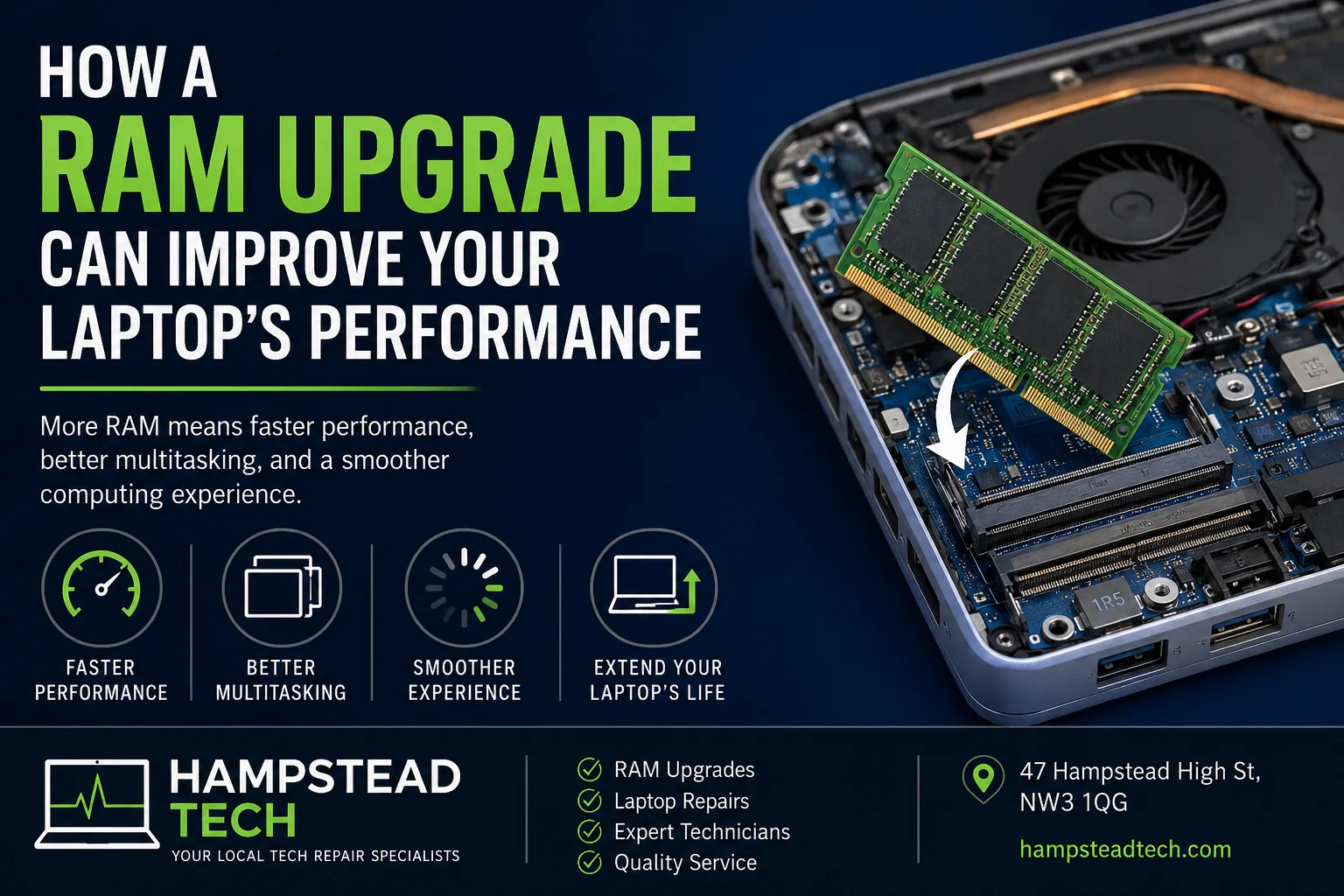
What Is RAM?
RAM is your laptop’s short-term working memory. When you open a browser, launch an application, edit a document, stream a video, or work with large files, your laptop uses RAM to temporarily hold the data it needs.
Unlike your SSD or hard drive, RAM is designed for fast access. Having enough RAM allows your laptop to keep more active programs and data readily available.
When your laptop doesn’t have enough RAM, it may rely more heavily on slower storage, which can result in noticeable slowdowns.
1. Better Multitasking
One of the biggest advantages of upgrading RAM is improved multitasking.
If you regularly have multiple browser tabs, Microsoft Office applications, video calls, music, and other programs open simultaneously, limited RAM can cause your laptop to slow down.
Adding more RAM gives your system more memory to work with, allowing you to switch between applications more smoothly.
For example, instead of constantly closing applications to keep your laptop responsive, you may be able to keep the programs you regularly use open at the same time.
2. Faster and Smoother Everyday Performance
A RAM upgrade can make everyday computing feel more responsive when your existing memory is insufficient.
You may notice improvements when:
Opening several browser tabs
Switching between applications
Working with large documents
Using photo or video editing software
Running communication and productivity applications simultaneously
Working with larger files
It’s important to remember that RAM isn’t a universal solution for every slow laptop. If the main problem is an aging hard drive, overheating, malware, or another hardware fault, those issues may need to be addressed separately.
3. Improved Performance for Demanding Applications
Some applications require significantly more memory than others.
Creative software, development tools, large spreadsheets, virtual machines, and other demanding programs can benefit from having additional RAM available.
If your laptop frequently becomes sluggish while using memory-intensive software, upgrading the RAM may help provide a smoother experience.
4. Fewer Performance Slowdowns
When available RAM becomes limited, your operating system has to work harder to manage the information being used by different applications.
This can lead to noticeable symptoms such as:
Programs taking longer to respond
Delays when switching between windows
Browser tabs reloading
General system sluggishness
Increased waiting when opening applications
Adding suitable RAM can reduce these problems when insufficient memory is the underlying cause.
5. You May Be Able to Extend Your Laptop’s Useful Life
A slow laptop doesn’t necessarily mean it’s time for a new one.
If your laptop is otherwise working well, a RAM upgrade may be one option worth considering before spending money on a replacement device.
The upgrade can be particularly worthwhile if your laptop supports additional or higher-capacity memory and your current RAM is limiting performance.
However, not every laptop can be upgraded. Some modern laptops have memory permanently integrated onto the motherboard, while others have specific RAM compatibility requirements.
How Much RAM Does Your Laptop Need?
The right amount of RAM depends on how you use your laptop.
For basic activities such as web browsing, email, document editing, and streaming, a modest amount of RAM may be sufficient. Users who regularly multitask or work with demanding applications may benefit from considerably more.
Rather than simply installing the maximum amount of RAM available, it’s important to check your laptop’s specifications first.
Factors to consider include:
Maximum supported RAM
Number of available memory slots
RAM type and speed
Whether the existing memory can be replaced
Compatibility with your laptop’s motherboard
Installing incompatible memory can prevent the laptop from operating correctly, so professional advice can be useful before purchasing an upgrade.
How Do You Know If Your Laptop Needs More RAM?
If you’re experiencing slow performance, don’t automatically assume that RAM is the problem.
A professional diagnosis can help determine whether your laptop would benefit from a memory upgrade or whether another component is responsible.
Common signs that insufficient RAM may be contributing to slow performance include:
Your laptop slows down when multitasking: Running several applications at once causes noticeable lag.
Applications become unresponsive: Programs regularly freeze or take a long time to respond.
You frequently have to close programs: Your laptop struggles when multiple applications are open.
Performance drops with demanding software: Editing, development, or other memory-intensive workloads cause significant slowdowns.
Your system frequently uses virtual memory: Heavy reliance on storage for memory management can contribute to slower performance.
RAM Upgrade vs. Buying a New Laptop
A new laptop can provide a major performance improvement, but replacement isn’t always necessary.
If your current laptop has a good processor, suitable storage, a healthy battery, and otherwise meets your needs, upgrading the RAM could be a more economical option.
On the other hand, if the laptop has an outdated processor, damaged hardware, poor battery health, or doesn’t support a meaningful RAM upgrade, replacing it may make more sense.
The best choice depends on the condition and specifications of your particular laptop.
Why Choose Professional RAM Upgrade Services?
RAM installation may look straightforward, but determining the correct memory and compatibility is an important part of the process.
A professional technician can check your laptop, identify its RAM specifications, determine whether an upgrade is possible, and install compatible components correctly.
Hampstead Tech provides laptop repair services for a wide range of brands, including Apple, Dell, HP, Lenovo, Asus, Acer, Microsoft, MSI, Razer, Samsung, LG, Toshiba, Huawei, Google, and Alienware. The company also lists RAM upgrades as one of its available services.
Hampstead Tech is located at 47 Hampstead High St, NW3 1QG, and offers a range of gadget repair services.
Give Your Laptop a Performance Boost
If your laptop has become frustratingly slow, you don’t necessarily need to replace it immediately. A RAM upgrade could provide the additional memory your system needs for smoother multitasking and better performance.
The first step is finding out whether your laptop is upgradeable and whether RAM is actually the cause of the slowdown.
For professional advice or a RAM upgrade, visit Hampstead Tech at hampsteadtech.com or contact the team to discuss your laptop.
Hampstead Tech — professional laptop and gadget repair in Hampstead.
Need this fixed?
We repair these at our workshop at 47 Hampstead High Street, London NW3 1QG. See our phone repair service, or book a repair online.